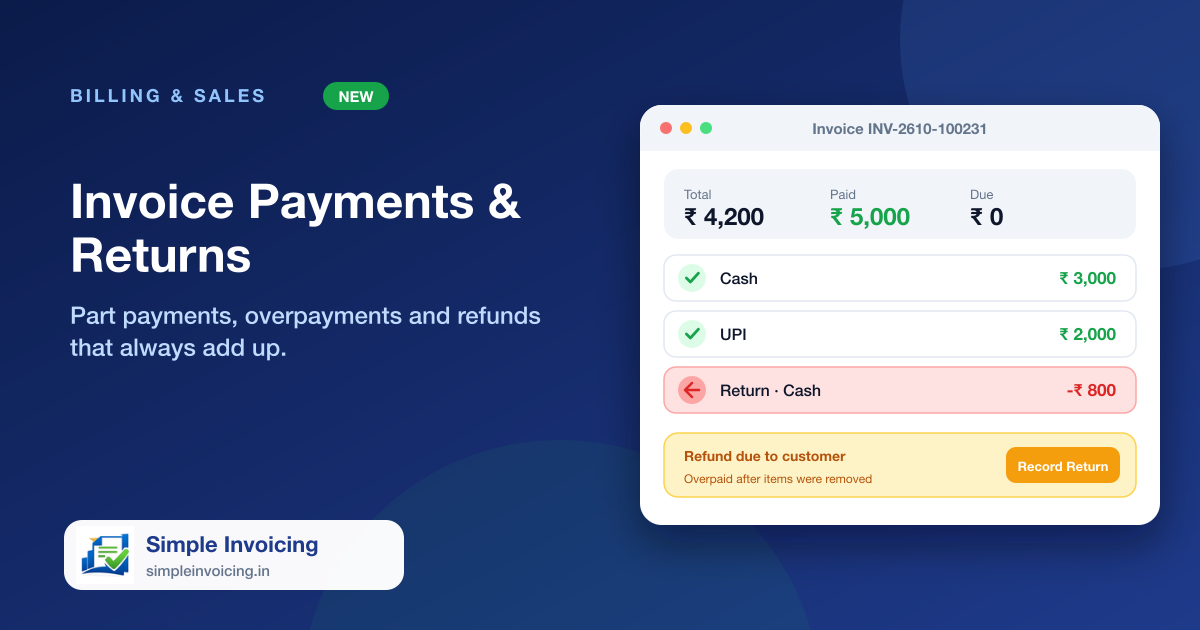
Record how each invoice was paid and let the balance take care of itself. When an invoice is edited, the amount due moves with it, and if the customer has paid more than the new total, you can record the refund against the same invoice.
What you can do
Part payments
Take payments in instalments by cash, UPI, card, bank transfer or cheque. Status moves from Due to Partial to Paid on its own.
Due follows the invoice
Add items and the amount due goes up; remove items and it comes down. Totals include item and bill discounts and tax.
Refunds for overpayments
If removing items leaves the customer overpaid, the invoice shows the refund due and a Record Return button, capped at the overpaid amount.
Clear payment history
Payments and returns are listed together and printed on the invoice, with returns clearly marked.
Also included
- Overpayments are never shown as a negative due
- Returns reduce the net paid amount, so reports stay accurate
- Payment history appears on A4 and thermal prints
- Payment reports show collections by method and date
Frequently asked questions
What happens if I remove items from a paid invoice?
The total drops, the due stays at zero and the invoice shows how much is owed back to the customer. Record the return when you hand it back.
Are refunds counted in payment reports?
Yes. A return is stored as a negative payment, so totals are net of refunds.